SceneryDesign.org
 Sometimes working on new features does not go as I expected. For example a few days ago I got the question on the forum is ModelConverterX can also export unwrap textures. So I replied to that user that this feature is on the wishlist (actually it has been on the wishlist since 2013), but that I could not promise that it would be implemented soon.
Within a day another bug in ModelConverterX was reported. Certain FS2004 aircraft model did display fully transparent in the preview. After analysing this bug I found out that it was caused by the way that ModelConverterX combined the diffuse colour alpha with the texture, as in FS2004 you can make the texture transparent without using an alpha channel for it. I had implemented this in such a way that the entire alpha channel would be set to the diffuse colour alpha value, but that was the cause of the bug where the entire aircraft became transparent. The solution was relatively easy, ModelConverterX should only set the alpha channel to the desired value for the parts of the texture that are mapped on the triangles with the diffuse colour alpha value. So I implemented that as a fix.
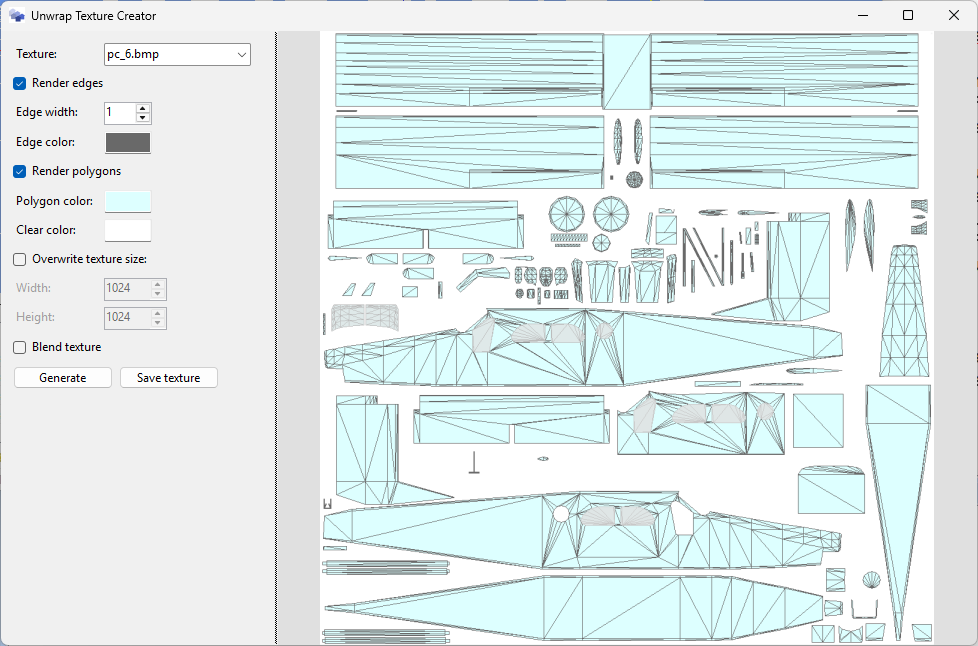
But hey, wait a second. With the logic to write only to the alpha channel for the areas that are mapped to triangles, I did make the basics for unwrap textures as well. So although I was not planning to implement that 13 year old feature from the wishlist on short notice, due to this unexpected coincidence between the feature request and the bug report, it became very easy to implement that feature as well now. So I made a new editor that allows you to create an unwrap texture and control which elements are shown on it. Below is a screenshot of this editor. You can find it in the special tools menu or in the context menu of the texture list in the material editor texture tab.
Enjoy this new feature, it’s available in the latest development release!