 SceneryDesign.org
  For a long time 3D objects for Flight Simulator could only be developed with a couple of tools. For example FSDS or GMax with the right gamepack. But over the last few years there is a trend to use more and more tools. For example SketchUp is also popular now to make scenery objects. Recently we have also seen more interest in using Blender to design for FS on the FSDeveloper forum. That’s why we have added a special subforum for it now.
To get the objects out of Blender and into FS you can best use ModelConverterX. From Blender you export as a DirectX X file. This way you can even export animations. In ModelConverterX you can then load this X file, tweak the materials and animations as needed and then export again. The X file Blender makes does not have all the FS specific extensions, but ModelConverterX will add them for you.
I’ll try to post a little more details about using ModelConverterX and Blender in the near future.
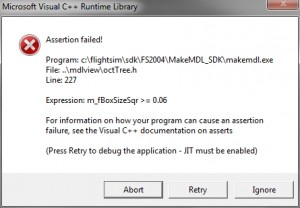 I think every designer exporting objects to FS2004 has seen the error message on the right at least once. It happens when you export a small object to a FS2004 MDL file with MakeMDL.
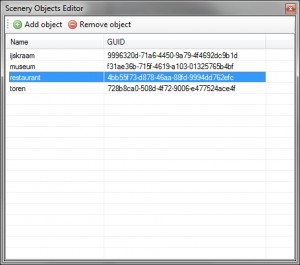 In the next development release of ModelConverterX you will find some changes to the “List objects” form. The first change is that this form is now called the “Scenery Objects Editor”. The icon in the toolbar has not changed by the way.
 As many of you probably know I am a member of the
 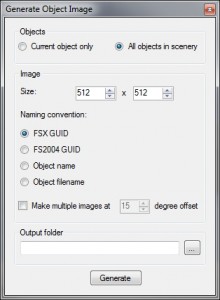 In the next development release two new graphical user interfaces will be added. Both for the object report function and for the object image function there is a GUI now.
 Until now the development release (or should I just say beta version) of all of my tools was released as one big ZIP file with all the different tools in it. I have changed this now. So from now on you can download a separate ZIP file for each tool. The file contains all files needed to run the tool, so you can install them each in their own folder if you want. I have uploaded the